
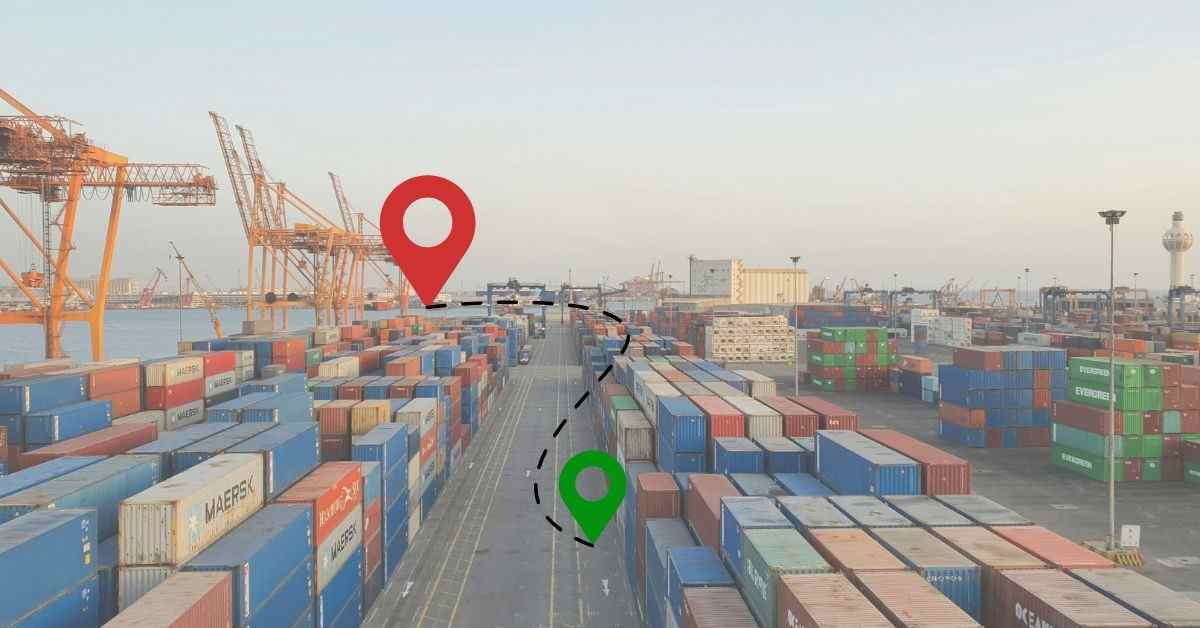
Global trade moves through a vast network of ships, planes, trucks, and rail systems, connecting businesses and customers around the world. Cargo visibility was once considered a valuable feature; it is now an essential part of modern shipping. Tracking technology allows you to follow your shipment in real time and stay informed every step of the way, whether you’re sending a small package or a full container load.
This guide helps you understand how cargo tracking works, how to identify your shipment, which tools to use, and how to interpret common shipping updates and status messages.
Step 1: Identify Your Tracking Reference
Every shipment has a unique identifier. Without this code, you cannot access the digital records of your cargo.
The Shipping Container Number
Ocean freight uses the ISO 6346 container numbering standard, which assigns each container a unique identification code.
- Owner Code: The first three letters identify the company that owns the container (e.g., MSK for Maersk).
- Category Identifier: The fourth letter is almost always “U,” which stands for a freight container.
- Serial Number: The next six digits are unique to that specific box.
- Check Digit: The final number helps computers verify that the code was typed correctly.
The Air Waybill (AWB)
Air cargo uses an 11-digit AWB number. This number serves as your contract and your tracking ID.
- Airline Prefix: The first three digits tell you which airline carries the goods (e.g., 176 for Emirates).
- Serial Number: The next seven digits identify your specific shipment.
- Check Digit: The last digit validates the entire sequence.
Step 2: Choose Your Tracking Platform
Once you have your tracking number, choose a tracking platform to monitor your shipment. The best option depends on the type of cargo you are shipping and the information you need.
Carrier Websites
Major companies like Maersk, CMA CGM, and FedEx provide their own portals. These sites offer the most direct data from the source. For example, FedEx Advanced Tracking allows businesses to monitor up to 20,000 active shipments at once.
Multi-Carrier Aggregators
If you use multiple shipping lines, you might prefer a “single pane of glass” platform. Tools like TraceContainer, TrackCargo, or SeaRates pull data from hundreds of carriers into one dashboard. This prevents the need to log into several different websites.
Mobile Applications
Logistics professionals who travel often use mobile apps to track shipments. Supply Hoop and UPS My Choice allow you to receive push notifications about delays or delivery confirmations directly to your phone.
Step 3: Understand the Tracking Statuses
When you look at a tracking log, you will see various acronyms. These represent the timeline of your shipment.
| Acronym | Full Name | Definition |
| ETD | Estimated Time of Departure | The date the carrier expects to leave the origin. |
| ATD | Actual Time of Departure | The verified time the carrier physically left the port. |
| ETA | Estimated Time of Arrival | The projected time the cargo will reach its destination. |
| ATA | Actual Time of Arrival | The factual moment the shipment reaches the destination. |
| ETB | Estimated Time of Berthing | When a ship is expected to dock at a specific berth. |
Step 4: Interpret the Status Updates
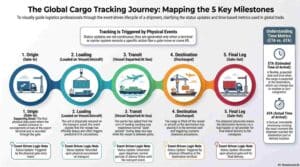
Shipment tracking is “event-driven”. This means the status only updates when a physical action occurs, such as a crane lifting a container or a truck passing through a gate.
- Gate-In: The loaded container has arrived at the export terminal.
- Loaded on Vessel: The cargo is now secured on the ship or aircraft.
- Vessel Departed: The journey has officially begun.
- Transshipment: Your cargo has reached an intermediate hub and will move to another vessel.
- Discharged: The container has been taken off the ship at the destination port.
- Gate-Out: The container has left the terminal on a truck for final delivery.
- Empty Returned: The final step where the empty container goes back to the depot.
Step 5: Troubleshooting Common Issues
Sometimes tracking updates may pause or appear inaccurate. In most cases, these gaps have simple explanations.
The Data Black Hole
During deep-sea voyages, tracking updates may pause for several days. This is normal. While ships use AIS (Automatic Identification System) to broadcast their position via satellite, container-level updates are usually provided once the vessel reaches its next port.
Transcription Errors
Typos are a major cause of “container not found” errors. People often confuse the letter “O” with the digit “0” or the letter “I” with the digit “1”. Always check your entry against the official Bill of Lading.
Customs Holds
If your shipment shows as “Discharged” but does not move for several days, it might be under a Customs Hold. This does not always mean there is a problem; it often just indicates a routine document review or a random inspection.

Advanced Tracking Technologies
The logistics industry is improving shipment tracking, helping businesses and customers stay informed about their cargo’s location and progress.
- AIS Tracking: Modern platforms like SeaVantage or MarineTraffic use satellite data to show the exact position of a ship at sea. Alongside AIS and IoT solutions, blockchain logistics is emerging as a technology that improves shipment transparency, security, and information sharing across the supply chain.
- IoT Sensors: Some high-value shipments use Internet of Things (IoT) sensors. These devices do not only track location; they monitor temperature, humidity, and even whether the container doors were opened unexpectedly.
Summary
Tracking your cargo requires patience and the right information. You should always keep your reference numbers in a safe place. Digital tools now provide a level of transparency that was impossible a decade ago. By following these steps, you can turn a complex global journey into a clear and manageable timeline.